Internal: payment methods
This section allows you to select which payment methods are globally accepted in the portal.
- Credit card
- Bank account (ACH/EFT)
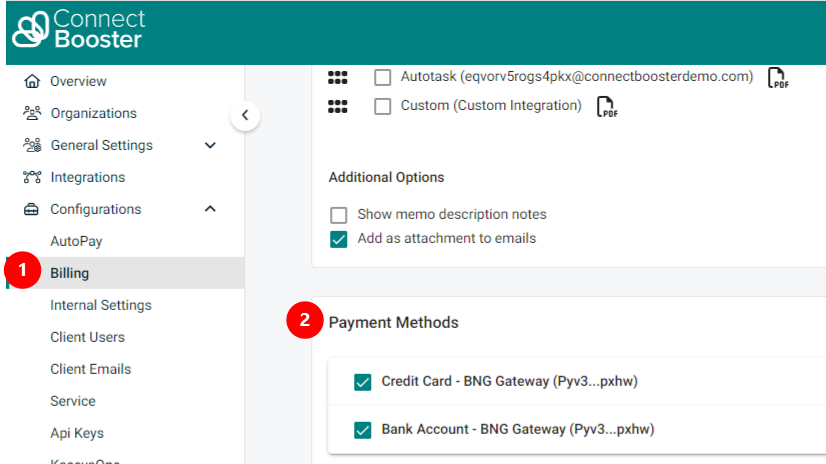
Disabling a form of payment will hide any preexisting credit cards or bank accounts on file. Clients will not be able to see or select them for payment or updating use.
Any preexisting autopay rules will still continue to function, even if the payment method option is turned off.
Payment adjustment configuration
Please contact support if you would like details on how to turn on the invoice % adjustment feature.
Payment adjustment exception
-
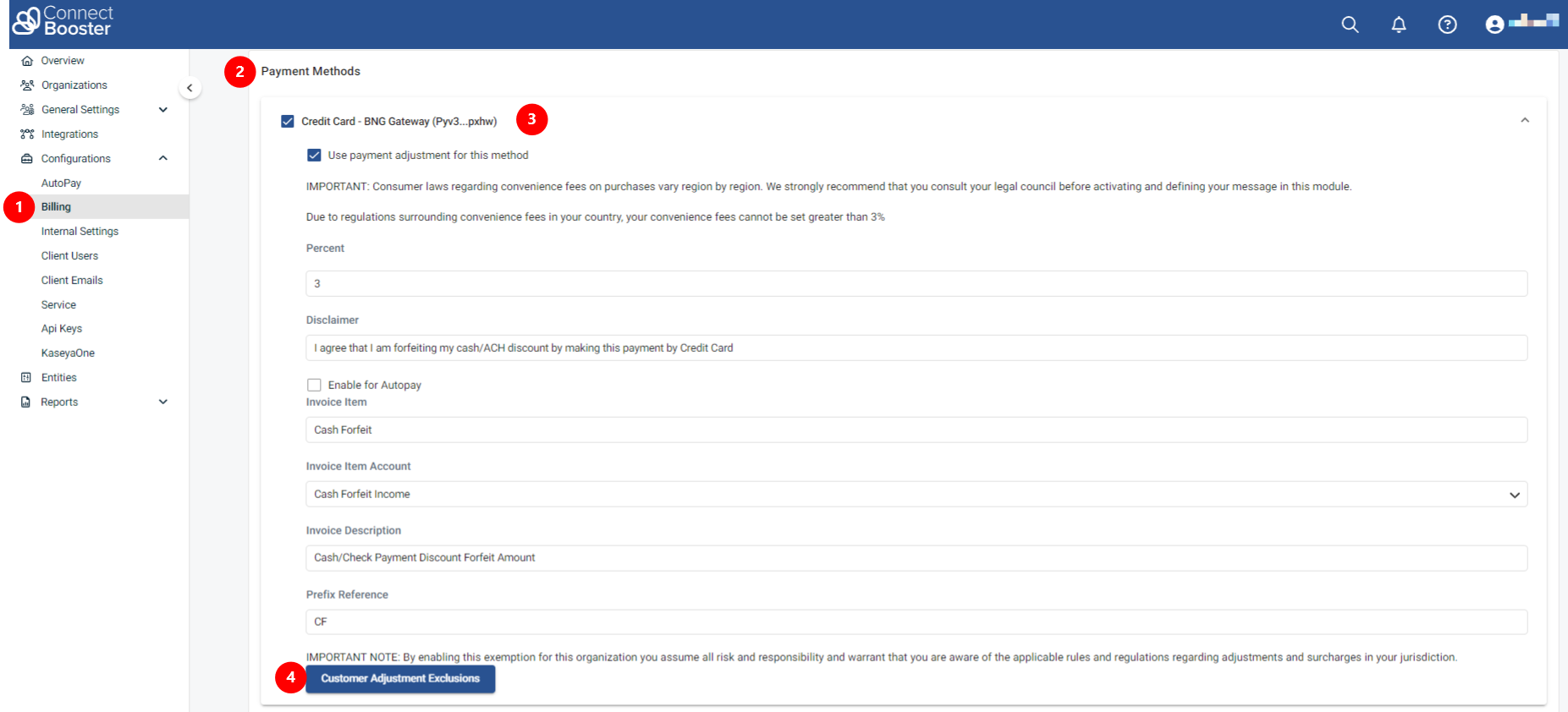
If you have the credit card adjustment feature configured in your portal and wish to exclude some of your clients from incurring these charges, you can do so by directing to Configurations + Billing + Payment Methods.
-
Next, click in the white area to the right of Credit Card to expand the adjustment settings.
-
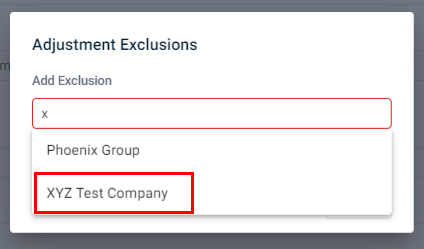
Select Customer Adjustment Exclusions to begin entering the clients you would like to exempt from these fees.
IMPORTANT By enabling this exemption for this organization you assume all risk and responsibility and warrant that you are aware of the applicable rules and regulations regarding adjustments and surcharges in your jurisdiction.